
Your texts are the most legally and personally sensitive archive on your phone — verification codes, addresses, bank alerts, two years of family logistics — and backup restore sms call logs android tooling treats them like a checkbox feature. This guide covers the dedicated tools that do it properly, explains the Android permission quirk that makes SMS restore awkward on every one of them, and is blunt about the privacy reality: a message backup is a readable dossier, and where you store it matters as much as making it.
Backup restore SMS call logs Android: why restoring messages is special
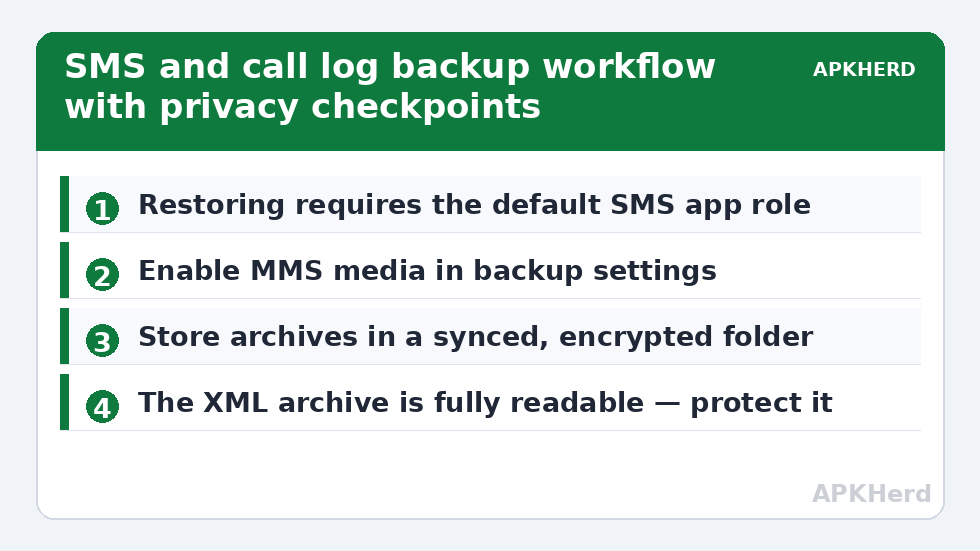
Reading your messages needs the SMS permission, but writing messages back into the system database — which is what a restore is — is restricted to the app holding the default SMS role. That is why every serious backup tool asks to temporarily become your default messaging app during restore, then hands the role back. This is a platform rule, not a tool being grabby, but you should still only grant it to tools you trust, and confirm afterwards that your preferred messaging app is default again. Call logs have a parallel permission (call log access) that Google restricts on the Play Store, which is why some well-known tools lost call-log features in their Play versions while keeping them in direct-download builds — check which build you are installing and from where.
The tools compared honestly
| Tool | SMS/MMS | Call logs | Format & notes |
|---|---|---|---|
| SMS Backup & Restore (SyncTech) | Yes, incl. MMS media | Yes | XML archives; can upload to Drive/Dropbox/OneDrive or email; the long-running category standard |
| Swift Backup | Yes | Yes | Part of a broader app-backup suite; exports readable; see our full guide |
| Google One | Yes, at setup restore | Yes | No browsing, no selective restore; setup-moment only |
| OEM switch tools | Yes during migration | Yes | One-shot move, not an ongoing archive |
For a true archive you can revisit, SMS Backup & Restore remains the pragmatic default: scheduled XML backups to a location you pick, human-readable format, and a restore path that has worked across many Android generations. Pair it with folder sync to your own storage and it becomes genuinely robust.
Step-by-step: a scheduled, verifiable message archive
- Install SMS Backup & Restore from the Play Store and grant contacts, SMS, phone, and storage permissions when asked.
- Set the backup location to a folder that is itself backed up — a Syncthing folder to your PC, a NAS share, or cloud storage you control. A backup inside internal storage only is a copy waiting for the same accident as the original.
- Include MMS and emoji, and enable call logs. Turn on the schedule (daily is reasonable; message archives are small, typically tens of MB per year of heavy texting).
- Run the first backup manually and open the resulting XML on a computer. If you can read your message history in a text editor, understand fully: so can anyone else who gets that file.
- Restore-test: on a spare device or the same device after exporting, restore the latest archive, set the tool as default SMS app when prompted, restore, then set your normal app back and check a threaded conversation with a photo MMS.
The privacy section most guides skip
An SMS archive contains password-reset codes, bank transaction alerts, medical appointment reminders, delivery addresses, and the phone numbers of everyone you know. In security terms it is one of the most valuable files a person owns, and tools cheerfully offer to email it to you or drop it into cloud drives unencrypted. Do this instead: keep the archive on storage you control, and if any copy goes to a third-party cloud, encrypt it first — our encryption-before-upload guide gives a concrete workflow. Also remember the sender side: your archive includes other people’s messages to you; treat the file with the care that implies.
Swift Backup users should read the equivalent security discussion in our Swift Backup complete guide — the same readable-export reality applies there.
Call logs: smaller, still worth keeping
Call logs matter for expense claims, business records, and the contact you forgot to save (“I called them in March, number’s in the log”). They are tiny — kilobytes per month — so include them by default. Two caveats: Android itself truncates the system call log (historically around 500–1,000 entries depending on build), so a quarterly archive preserves history the phone discards; and restoring call logs merges rather than replaces on most tools, which can duplicate entries if you restore twice. Test on a spare if duplicates would matter for records.
Where this fits in the full plan
Messages are one layer of a complete strategy. Contacts and calendar have their own traps — handled in our reliable contacts and calendar guide — and the overall structure (what copies live where) follows the 3-2-1 disaster-recovery plan. Browse all methods from the backup tools hub.
RCS, and why your restored history may look different
Modern Android messaging increasingly runs on RCS rather than SMS, and backup tools archive the underlying message database in ways that can flatten RCS conversations into SMS-like records: read receipts, reactions, and typing-era metadata may not survive the round trip, and high-quality RCS media can arrive recompressed. Your words and pictures make it; the protocol decorations may not. If a specific conversation carries legal or sentimental weight — a dispute trail, a family thread — supplement the tool backup with the messaging app’s own export or screenshots of the critical stretches, stored with the archive.
Dual-SIM users should also test deliberately: verify that messages from both SIMs appear after restore and that the archive tool you chose records which SIM a conversation belonged to. Business users separating personal and work lines have been bitten by archives that merged them indistinguishably. Finally, note that verification-code messages (bank OTPs) inside the archive are live secrets until they expire — one more reason the archive file belongs behind encryption and out of casual cloud folders.
Retention: how long should message archives live?
Storage cost argues “forever” — a decade of SMS XML is smaller than a single 4K video — but sensitivity argues for a decision rather than a default. A reasonable household policy: keep the rolling archive indefinitely for continuity, and review annually whether the oldest years still earn their risk. Business users may face the opposite pull, with record-keeping obligations that require retention. Either way, decide on purpose, write the decision with the archive, and remember that every copy location (sync folder, NAS, cloud) multiplies both the protection and the exposure — which circles back to encrypting any copy that leaves hardware you physically control.
Frequently Asked Questions
Why does the backup app need to become my default SMS app to restore?
Android only allows the default SMS app to write to the message database. The tool takes the role temporarily for the restore and prompts you to switch back afterwards. Verify the switch-back happened in Settings → Apps → Default apps.
Are MMS photos included in backups?
In SMS Backup & Restore and Swift Backup, yes, if you enable the option — check because it is sometimes off or limited by file size settings. Always restore-test one MMS thread specifically; text-only success does not prove media success.
Can I read my backup without restoring it?
Yes — the XML archives open in a browser or text editor, and viewer tools exist to render them as conversations. That readability is convenient and is exactly why the file needs encryption when stored off-device.
Will restoring duplicate my messages?
Good tools detect existing messages and offer to skip duplicates; behaviour varies. Restore once, verify, and resist restoring again over the same database unless you are deliberately merging.
Does Google One make a separate SMS tool unnecessary?
For a simple phone-to-phone move, Google One suffices. For an archive you can browse, schedule, keep off Google, and restore selectively years later, a dedicated tool is still the better instrument.