
Open your gallery and scroll back six months. Odds are you will find the same sunset three times, two copies of a screenshot you edited and re-saved, and a video your messaging app stored twice — once when you received it and once when it backed up. Knowing how to delete duplicate photos videos android free tools can find is one of the few storage tricks that genuinely works, because it removes real bytes instead of shuffling cache around. A single 4K video can weigh 350 MB; five accidental copies of it cost more space than every app cache on your phone combined.
Before you delete anything, a warning that matters: back up your photo library first. Enable Google Photos backup, copy the DCIM folder to a PC, or do both. Duplicate-finding tools compare files, and if you confirm a mass deletion without checking, a mislabelled “duplicate” (for example, a burst shot where one frame is sharper) is gone for good. Five minutes of backup now is the difference between a safe cleanup and an expensive regret.
What counts as a duplicate (and what doesn’t)
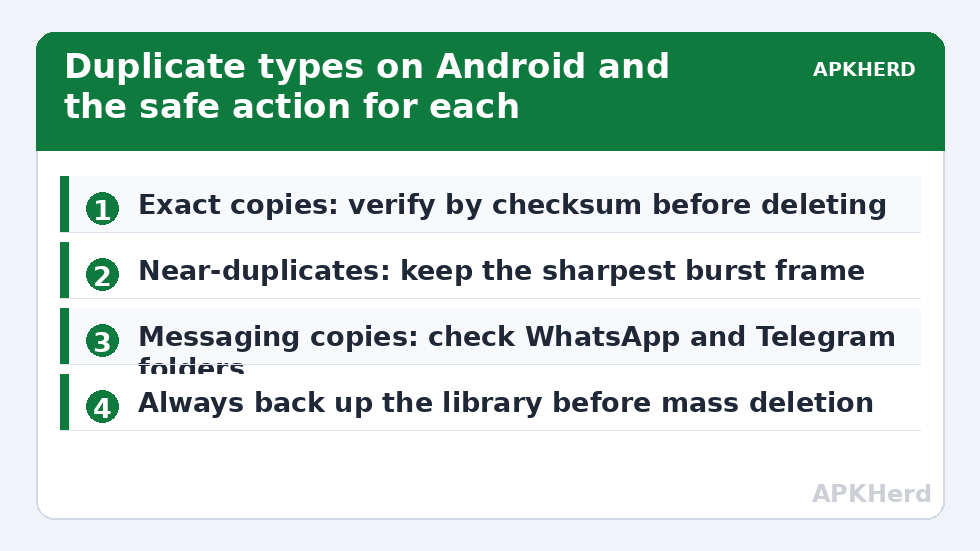
Not all “duplicates” are equal, and the tool you use depends on which type is eating your storage:
| Type | How it happens | Safe to delete? |
|---|---|---|
| Exact copies | Same file saved twice by editors, shares, or downloads; identical hash | Yes — byte-for-byte identical |
| Near-duplicates | Burst shots, HDR brackets, slightly reframed photos | Review first — keep the sharpest frame |
| Edited versions | Original plus an edited export in a different folder | Usually — but confirm the edit is the keeper |
| Messaging copies | Same media in WhatsApp/Telegram folders and in your gallery | Yes, if the gallery copy is the one you want |
Exact copies are found by checksum: the app reads each file and proves they are identical before suggesting deletion. Similar-photo detection is fuzzier — it compares visual thumbnails, so treat those results as candidates to review, not gospel. Any tool that offers one-tap deletion of “similar” photos without a review screen is a tool to uninstall.
Delete duplicate photos videos android free with Files by Google
Google’s own file manager is the safest starting point because it has no ads, no fake virus warnings, and no upsell to a “pro cleaner.” Its cleanup tab flags card-based suggestions rather than scanning for hash-level duplicates, but paired with a manual media-folder pass it covers most people.
- Open Files by Google and tap Clean at the bottom.
- Look for the Duplicate files card. If it appears, tap Select files.
- Files by Google keeps the original ticked by default and pre-selects the copies. Review each pair — the app shows location and size so you can confirm they really are the same shot.
- Tap Move to Trash. Files sit in Trash for 30 days before permanent deletion, which is your safety net if you misclick.
Realistic savings: on a phone used for a year with heavy WhatsApp use, the duplicates card alone typically surfaces anywhere from a few hundred megabytes to several gigabytes. That range varies enormously — a careful photographer with cloud backup may find almost nothing, which is also a useful answer.
When Files by Google misses copies: manual folder detective work
Files by Google does not always surface the duplicates card, and it does not dig into every app folder. The biggest hidden duplication on Android lives in messaging folders: Internal storage/Android/media/com.whatsapp/WhatsApp/Media holds every photo and video you have received or sent, while your gallery app may show the same items from DCIM/Camera or a “Sent” subfolder. A video forwarded through three group chats can exist three times.
Sort any large media folder by size inside Files by Google (Browse > Internal storage > folder > sort icon) and the worst offenders float to the top. Identical file sizes with near-identical names — VID-20240312-WA0007.mp4 appearing in two folders — are a giveaway. Our guide to the WhatsApp Storage Manager goes deeper into pruning chats from inside WhatsApp itself, which is cleaner than deleting files behind the app’s back.
Dedicated duplicate finders: what to look for
If you want a true hash-level scan, a dedicated duplicate finder helps — but this category is infested with ad-stuffed junk, so choose carefully:
- Hash verification stated clearly. The listing or app UI should say it compares file content, not just names or sizes.
- A review screen before deletion. Non-negotiable.
- Modest permissions. It needs storage access. It does not need your contacts, call log, or location.
- No “RAM booster” or antivirus features. Bundled boosters are marketing, not engineering, and they signal a junk app. Read our cleaner app permissions audit before installing anything in this category.
Prevent duplicates from coming back
Cleanup without prevention is a subscription to doing this again in three months. Three settings changes cut duplication at the source:
- WhatsApp: Settings > Storage and data > turn off “Save to gallery” visibility for group chats (Media visibility), so received media stays in WhatsApp’s folders instead of photocopying itself into your gallery roll.
- Camera apps: If you use a third-party camera or editor, check whether it saves both the original and the processed shot by default. One toggle ends an entire class of duplicates.
- Cloud sync conflicts: Running Google Photos, OneDrive, and a manufacturer cloud on the same folder can create local conflict copies. Pick one primary backup — a rule we repeat in the Google Photos space guide.
What this won’t fix
Duplicate removal is a one-time harvest, not a diet. If your storage fills again within weeks, duplicates were a symptom; the cause is usually uncontrolled messaging media, offline music downloads, or a camera recording 4K by default. The monthly maintenance routine in our storage cleaners section turns this one-off win into a habit that keeps a mid-range phone comfortable for years.
Video duplicates deserve their own pass
Photos get the attention, but videos do the damage. A two-minute 4K clip can occupy more space than two thousand photos, and video generates duplicates through different machinery: you record once, a messaging app compresses and stores its own sent copy, a cloud app downloads a “device copy” for offline viewing, and an editor exports a rendered version next to the original. Run a video-only pass sorted strictly by size. In Files by Google, Browse > Videos, then sort descending, and the top of the list is where your gigabytes live. Identical durations plus identical sizes are a strong duplicate signal even before you play anything.
Watch for one trap: the same event filmed in multiple takes is not duplication, it is filmmaking. Burst photos have a video cousin — three attempts at a birthday-candle blow-out — and only a human picks the keeper. Editors create the opposite trap: the exported render looks like a duplicate of the raw clip but is the finished product you actually want, while the 900 MB raw file is the one that could move to a computer. Rule of thumb for video: keep the highest-quality or most-edited version, offload the rest to a PC or cloud archive, and let the phone hold one copy maximum.
Finally, deduplicate before your big backup, not after. Backup tools faithfully preserve whatever mess exists, so a library cleaned first uploads faster, costs less cloud quota, and makes the backup itself easier to verify. The sequence — dedupe, then back up, then offload — is the order used throughout this category for a reason: each step makes the next one safer.
Frequently Asked Questions
Is it safe to delete duplicate photos on Android?
Exact duplicates verified by checksum are byte-for-byte identical, so deleting the copy loses nothing — provided you backed up first and review the list before confirming. “Similar” photos flagged by visual matching need human review, because burst frames and HDR variants are not true copies.
Which free app finds exact duplicate files?
Files by Google surfaces a Duplicate files card for common cases and is ad-free. For deeper scans, pick a dedicated finder that states it uses hash comparison and shows a review screen; avoid anything bundling boosters or antivirus features.
Why does my phone have the same photo three times?
Usually because a messaging app saved it, your gallery imported it, and an editor exported a copy — or because two cloud backup services conflicted. Messaging folders and editor export folders are the first places to look.
Does Google Photos delete duplicates automatically?
Google Photos refuses to upload a second copy of an identical file, so your cloud library stays clean. That does not remove extra local copies already sitting in different folders on the phone itself.
How much space can I realistically save?
Anywhere from nearly nothing on a tidy phone to several gigabytes on a phone with heavy messaging use and 4K video. Videos dominate the savings — ten duplicated clips can outweigh a thousand duplicated photos.