
The question behind every app cloner apk signature safe legal discussion is one most store listings dodge: tools like App Cloner (by AppListo) do not duplicate an app the way Android does — they modify it. To make a second installable copy, these tools take the original APK, change its package identity, patch out or work around signature checks, and re-sign the package with a new certificate. That single fact explains everything users observe afterwards: clones that cannot sign into Google services, apps that refuse to run, updates that stop working, and the uneasy legal questions. This article explains what re-signing really does, compares App Cloner’s free and premium tiers honestly, and draws the safety and terms-of-service lines clearly.
What an APK Signature Is and Why Changing It Matters
Every Android app is cryptographically signed by its developer. The signature is not decorative: Android uses it to verify that an update genuinely comes from the same developer as the installed app, apps use it to prove their identity to each other and to servers, and Google Play services use signature verification to confirm that an app requesting your Google sign-in or SafetyNet/Play Integrity verdicts is the genuine article. When a cloning tool re-signs an app with its own certificate, the clone becomes, cryptographically, a different app published by a stranger. Consequences follow predictably:
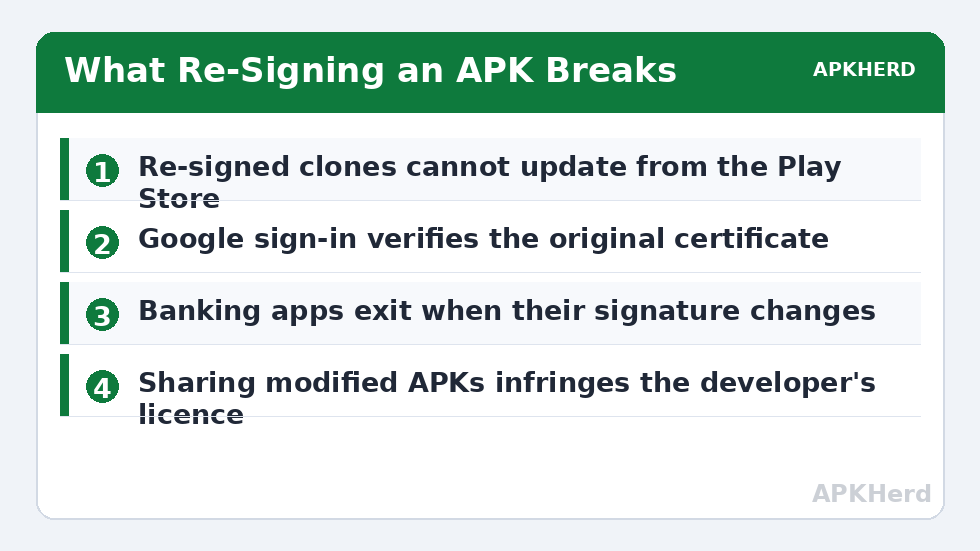
- No updates in place. The Play Store cannot update the clone, because the store’s copy carries the original signature. You must rebuild the clone from each new original version manually.
- Google sign-in breaks. Google checks the calling app’s signature against what the developer registered; a re-signed clone fails that check, so “Sign in with Google,” Maps SDK features bound to the signature, and many Firebase functions fail or degrade.
- Integrity checks refuse. Banking, payment, and DRM-protected apps verify their own signature and exit when it does not match — hence the familiar “this app won’t run as a clone” behaviour.
- Inter-app trust breaks. Apps that share data via signature-level permissions no longer recognise the clone as a sibling.
App Cloner Free vs Premium, Without the Marketing
App Cloner’s free tier historically covered a small number of basic clones with core options; the premium tiers (it has used one-time “donation” levels and, in recent versions, subscription-flavoured unlocks — pricing changes often enough that you should verify in-app before paying) unlock the options that make clones usable in practice: more clones per app, identity-spoofing options (new Android ID, IMEI/serial spoofing on some Android versions), privacy options like disabling analytics or permissions inside the clone, watch and TV support, and advanced patches for stubborn apps. The engineering reality: the premium features are overwhelmingly about defeating apps’ clone detection. That is a legitimate need in narrow cases (an app that pointlessly blocks work profiles) and a red flag in others.
| Aspect | Free tier (typical) | Premium (typical) |
|---|---|---|
| Clones per app | 1 basic clone | Multiple clones |
| Identity options (Android ID, device IDs) | Limited/none | Available |
| Privacy patches (disable tracking, permissions) | Basic | Extended |
| Support for stubborn apps | Standard patch set | Extra compatibility modes |
| Updates for clones | Manual in both tiers — clones can never update from the Play Store | |
The Safety Question, Answered in Layers
Is the tool itself safe? App Cloner is a long-standing app distributed via its own website (it was removed from the Play Store years ago over policy disputes, which is itself information worth weighing). Sideloading it requires trusting the developer’s site and builds. Longevity is not proof of safety, and modified-app tooling is a category where copycat malware flourishes — download only from the developer’s official domain, and treat every similarly named “App Cloner Pro APK free” site as hostile until proven otherwise. The wider threat model is covered in privacy risks of third-party app cloners.
Are the clones safe? A re-signed clone cannot be verified against the original developer’s certificate, so you are trusting the patching pipeline end-to-end. Sensitive apps should never be cloned this way: banking, password managers, authenticators, and anything holding payment instruments belong exclusively in genuine, store-installed form. For low-stakes apps the risk is modest but real, and it is unfixable by the tool’s nature.
Is it legal / within terms? Modifying an app package generally conflicts with that app’s licence terms, and redistributing modified APKs of others’ apps is a copyright problem outright — never share clones you build. Separately, account rules still apply: cloning does not launder a prohibited second account into a permitted one, and identity-spoofing features exist largely to defeat platform enforcement; using them to evade bans or device blocks is a terms violation and, in fraud contexts, worse. If your goal is a legitimate second account, the methods that do not modify anything — OEM dual apps, work profiles, built-in switchers, compared across the App Cloners series — achieve it without touching a signature.
The “App Not Installed” Wall and Split APKs
Modern Play Store apps ship as split APKs (a base APK plus configuration splits for language, density, and architecture, often with the real code delivered as app bundles). Re-signing cloners struggle badly here: clone a bundle-installed app naively and installation fails with the generic “App not installed” error, or the clone installs but crashes missing its native libraries. That failure family, and the legitimate fixes (installing from a complete APKM/XAPK with a proper installer, or accepting that some apps cannot be modified-clones), is treated in depth in fixing “App not installed” errors when cloning split APKs. Note the pattern: every workaround increases the distance between you and the genuine app. Compare that trajectory with a virtual-space approach in using virtual Android spaces safely and legally before committing to modified clones for anything you care about.
How to Tell Whether an App on Your Phone Was Re-Signed
You do not need to take a listing’s word for an app’s provenance. Free inspection tools (for example, APK Analyzer in Android Studio, or on-device apps like App Manager from F-Droid) can display an installed package’s signing certificate fingerprint. A genuine Play Store app’s fingerprint matches the developer’s known certificate; a re-signed clone shows the cloner’s certificate instead, and the package often carries tell-tale traces — a modified package name suffix or the cloner’s own metadata. This check is worth running on any “mod” or “premium unlocked” app already on your phone: if the signature is not the developer’s, you are running a stranger’s build of that app with your account inside it, and the correct response is to change that account’s password from a clean browser session and reinstall the genuine app.
Frequently Asked Questions
Why can’t my re-signed clone sign in with Google?
Google verifies the signature of the app requesting sign-in against the certificate the developer registered. A cloning tool re-signs the app with a different certificate, so the check fails by design. This cannot be patched away legitimately; if an app needs Google sign-in, use a duplication method that does not modify the app (work profile or OEM dual apps).
Is using App Cloner illegal?
Running the tool is not a crime in most places, but modifying an app usually breaches that app’s licence terms, and distributing modified APKs infringes the developer’s copyright. The sharper risk is account-level: services can ban accounts detected in modified clients, and using identity-spoofing features to evade bans or blocks violates platform terms. For legitimate second accounts, use non-modifying methods instead.
Can cloned apps from App Cloner update automatically?
No. Because the clone’s signature differs from the developer’s, the Play Store cannot update it. You must rebuild the clone from each new version of the original app and reinstall — accepting that the rebuild process can reset or occasionally break the clone’s data.
Is App Cloner premium worth paying for?
Only if you specifically need its advanced patching or multiple-clone options for low-stakes apps, and you accept manual updates, broken Google sign-in, and no integrity-checked apps. For the common job — a second WhatsApp or social account — free platform features (work profiles, OEM dual apps, built-in switchers) do it better and cost nothing.
Why do banking apps refuse to run as modified clones?
They verify their own signature and device integrity as an anti-fraud measure. A re-signed copy is indistinguishable from a tampered copy, so the app exits. This is the system working correctly; never seek patched banking apps or tools that claim to bypass these checks.