
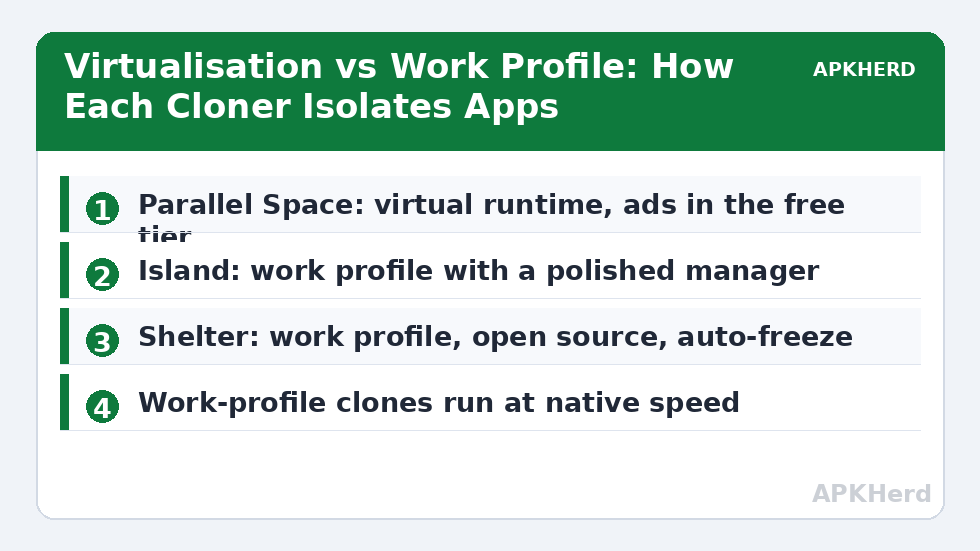
This parallel space vs island vs shelter comparison exists because the three apps look interchangeable in a Play Store search and are anything but. They represent two completely different isolation technologies. Parallel Space virtualises: it runs a second copy of an app inside its own runtime environment, like a lightweight emulator for apps. Island and Shelter do no virtualising at all — they are front-ends for Android’s built-in work profile, and the operating system itself enforces the separation. That single architectural difference determines almost everything else: performance, reliability on new Android versions, privacy, and whether your cloned apps still work after an update.
The Two Architectures, Explained Properly
Parallel Space (and its many siblings — Dual Space, 2Accounts, and similar) creates a virtual environment inside one app. When you “clone” WhatsApp into Parallel Space, WhatsApp’s code runs under the virtualisation layer’s process, with file paths redirected to the cloner’s data folder and device parameters spoofed or proxied. The app being cloned was never designed for this, which is why virtual cloners are perpetually chasing compatibility: a WhatsApp update, a new Android release, or a hardened app with integrity checks can break clones overnight.
Island and Shelter instead ask Android to create a work profile — a real, secondary user profile the system manages natively. Apps inside are genuinely installed a second time by the package manager, stored under the profile’s user ID, and sandboxed by the same kernel-level user isolation Android uses for multi-user devices. There is nothing to “detect” or break in the virtualisation sense, because from the app’s perspective it is simply installed for another user of the phone.
| Factor | Parallel Space | Island | Shelter |
|---|---|---|---|
| Isolation method | App virtualisation layer | Android work profile | Android work profile |
| Open source | No | No | Yes (F-Droid) |
| Ads / upsells | Yes, aggressive in free tier | Minimal | None |
| Typical overhead | Noticeable; extra RAM for the virtual runtime | Near-native | Near-native |
| Breakage on app updates | Common | Rare | Rare |
| Freeze apps | No system-level freeze | Yes | Yes (auto-freeze supported) |
| Works alongside an employer profile | Yes (it is not a profile) | No | No |
Performance and Battery: Near-Native vs a Runtime Tax
Because work-profile apps run as first-class installations, Island and Shelter add essentially no runtime overhead — the cloned app runs at native speed and Android’s normal battery accounting applies. Parallel Space inserts its layer into every cloned app’s execution and keeps its own services alive to broker notifications and intents, which typically costs a few hundred megabytes of RAM and a measurable slice of battery on heavy messaging days. On a modern phone with 8 GB of RAM you may never notice; on a 4 GB budget device, the virtualisation tax is the difference between a clone that survives in memory and one that reloads every time you switch to it. If cloned apps keep dying or notifications arrive in bursts, our piece on fixing cloned app crashes and notification delays explains how much is the cloner, how much is your OEM’s battery policy, and what to change.
Privacy: The Part Most Comparisons Skip
A work profile protects cloned apps from other apps: nothing in your personal profile can read the profile’s data, and vice versa. It does not hide anything from the platform holder or from the cloned app itself. Parallel Space’s privacy story is weaker in a different direction: the virtualisation host needs broad permissions to broker everything its guests do, and the free tier is ad-supported, which means a closed-source intermediary sits between you and every cloned session. Island is closed source too, but it operates through documented system APIs, requests comparatively little, and has no ad business — its developer’s reputation rides on Android power-user tools. Shelter is the transparency winner: fully open source, available from F-Droid, no ads, no analytics SDKs in the F-Droid build, maintained by Peter Cai. If the entire point of cloning is distrust of a particular app, putting that app inside an open-source profile manager is the coherent choice.
Island vs Shelter: Sibling Rivalry
Since both drive the same Android mechanism, differences are about polish and extras. Island offers a smoother onboarding flow, a “God mode” for advanced users willing to make it device owner, app shortcuts with badges, and finer-grained controls like cloning from APK files in some builds. Shelter is deliberately minimal: install, clone or install into the profile, freeze — with an auto-freeze option that disables apps a set time after you leave them, which is genuinely useful for apps you open twice a month. Our dedicated Shelter complete guide covers that workflow in full, and the Island setup guide does the same for Island’s provisioning steps. There is also a third open-source option, Insular, forked from Island’s earlier codebase lineage — it is compared head-to-head in another article in this series.
Compatibility and the Employer-Profile Problem
The work-profile approach has one hard constraint: most Android builds allow exactly one work profile per user. If your employer’s MDM already occupies that slot, Island and Shelter cannot be set up at all, and Parallel Space — for all its flaws — becomes the practical option because it does not touch the profile system. Conversely, if your phone is fully personal, choosing the virtualisation route means accepting breakage risk with nothing gained. A second constraint cuts the other way: banking and some government apps refuse to run inside work profiles or under any duplication, and no cloner fixes a policy decision made server-side by the app provider. Cloning also does not override an app’s own account rules — a service that permits one account per person does not permit two because one sits in a profile.
So Which Should You Install?
Default to a work profile. Pick Shelter if you value open source and want set-and-forget freezing; pick Island if you want the more polished manager and extra controls and are comfortable with closed-source system tooling from an established developer. Pick Parallel Space only when a work profile is unavailable — an employer profile already exists, your ROM blocks profile creation, or you need more than two copies of an app (profiles give you exactly one extra installation per app; virtual spaces can host several). Whatever you choose, the wider guidance in App Cloners covers backups, hiding, and account-safety practices that apply to all three.
Frequently Asked Questions
Which is safer: Parallel Space, Island, or Shelter?
For most people, the work-profile tools are safer. They rely on Android’s own isolation instead of injecting a runtime layer into apps, and Shelter in particular is open source with no ads. Parallel Space’s closed, ad-supported host process needs broad permissions to function, which concentrates trust in a single commercial vendor.
Can I use Island or Shelter if my phone already has a company work profile?
Usually not. Most Android builds permit only one work profile per user, and the employer’s profile occupies it. In that situation your realistic options are your employer’s policy on additional profiles, a separate user profile on phones that support it, or a virtual-space cloner like Parallel Space.
Do cloned apps run slower in Parallel Space?
They can. The virtualisation layer adds memory overhead and brokers the app’s system calls, so cloned apps typically use more RAM and may feel less responsive on budget hardware. Work-profile clones under Island or Shelter are true second installations and run at essentially native speed.
Will my cloned apps survive Android or app updates?
Work-profile installations behave like normal apps, so updates rarely break them. Virtualised clones are fragile by comparison — a major update to the cloned app or to Android can break compatibility until the cloner is patched, and some apps with integrity checks refuse to run under virtualisation at all.
Which one should I choose just for a second WhatsApp or social account?
If your phone has no employer profile, install Shelter for the simplest open-source route, or Island for extra management features, and clone the app into the work profile. Reserve Parallel Space for cases where the profile route is blocked, and remember that an app’s own account rules apply no matter which cloner you use.