The privacy risks third party app cloners carry are structural, not accidental. To do their job, a virtual-space cloner must become the most privileged consumer app on your phone: it hosts your other apps’ sessions, brokers their storage, renders their notifications, and sees every login happen inside it. That is a position of trust comparable to your password manager — except many cloners are ad-funded, closed-source, and distributed through websites with names designed to be confused with each other. This article maps the actual risks: the permission set cloners request, what their business model implies about your data, the copycat-malware problem, and the permission requests that should make you uninstall rather than tap Allow.
Why Cloners Need So Much Access — and Why That Is the Risk
A virtual cloner like Parallel Space runs your cloned apps inside its own environment. For a clone to work at all, the host typically requests storage access (to hold clone data), phone/device identifiers (to present a consistent virtual device to guests), notification access (to re-post clone notifications as its own), accessibility or usage access on some builds (to intercept app launches), VPN or network permissions in some variants, and the ability to install packages and draw over other apps. Some requests are genuinely functional — but the sum of them is an observer positioned over everything your cloned apps do. If you cloned a banking-adjacent or messaging app into that environment, the host is one compromise or one unscrupulous SDK away from your most sensitive sessions. Work-profile tools demand far less, because Android itself does the isolation; that asymmetry is the core argument in our comparison of Parallel Space, Island, and Shelter.
The Business Model Problem
Free cloners are monetised somehow, and the honest options are limited: subscriptions, ads, or data. Ad-supported cloners embed third-party ad SDKs inside the very process that hosts your cloned apps; those SDKs are notorious for collecting device identifiers and behavioural signals, and the cloner’s privacy policy — if you can find one — rarely enumerates them clearly. Premium subscriptions (Parallel Space’s model) reduce the incentive problem without eliminating the trust problem: closed code plus maximal privilege plus your accounts. Re-signing cloners add a further layer, covered in the App Cloner signature-safety analysis: the clone itself is a modified binary you cannot verify, from a pipeline you cannot audit.
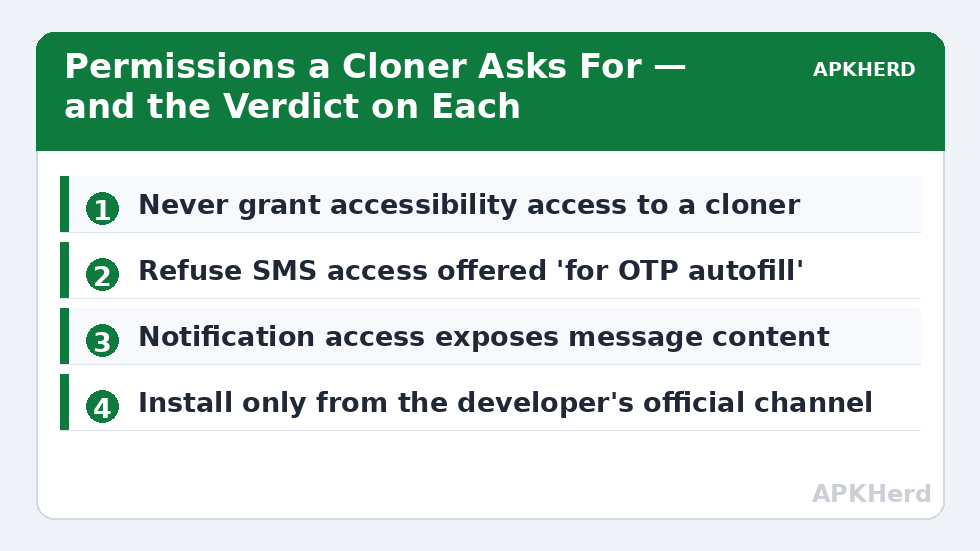
The Permissions You Should Never Grant
| Permission / access | Why a cloner asks | Verdict |
|---|---|---|
| Accessibility service | “Required for cloning” prompts on some builds; can also read screen content and perform taps | Refuse for cloners. Accessibility can observe everything on screen, including inside cloned apps. |
| Device administrator / device owner demands outside profile setup | Legitimate only during work-profile provisioning by tools like Island/Shelter | Refuse for virtual cloners; a virtual host does not need admin rights. |
| SMS read access | “Auto-fill OTP for clones” | Refuse. OTP reading hands the cloner your two-factor codes; type codes manually. |
| Contacts + call log “for sync” | Social-feature dressing | Refuse unless you fully trust the vendor; clones can usually access contacts through the profile mechanism instead. |
| Install unknown apps / package installer | Needed by re-signing cloners to install modified clones | Grant only to a cloner you have deliberately chosen, and revoke afterwards. |
| All files access | Clone data storage | Prefer scoped storage; broad file access exposes documents far beyond the clones. |
| Notification access | Required to re-post clone notifications | Understand the trade: the host can read every notification’s content. Accept only from a cloner you trust with your messages. |
The Copycat Problem: Cloners Are a Malware Costume
Search any APK site for a popular cloner and you will find a dozen variants — “Pro” unlocks, “no ads” mods, region editions — packaged by strangers. A trojanised cloner is a perfect credential thief: users voluntarily install their messengers and social accounts inside it. The distribution discipline that protects you is boring and absolute: profile tools from F-Droid or the Play Store; Parallel Space only from the Play Store; anything sideloaded only from the original developer’s own domain, verified by checking the developer’s official links rather than a search ad. If a “cloner” was installed from a random APK bazaar and your accounts live inside it, treat those accounts as exposed: change passwords from a clean device, review active sessions in each app, and revoke unfamiliar ones. Virtual environments deserve the same suspicion — the checklist in using VMOS and X8 Sandbox safely applies the same trust analysis to full virtual phones.
A Sane Trust Hierarchy for Duplication
- The app’s own multi-account switcher — no intermediary at all.
- OEM dual apps — the manufacturer is the intermediary; a known, accountable party.
- Open-source work-profile managers (Shelter, Insular) — auditable code, Android does the isolation.
- Established closed-source profile managers (Island) — reputable developer, system APIs, minimal data model.
- Commercial virtual cloners — maximum privilege, ad/subscription incentives, closed code.
- Re-signing cloners and any “mod” APK — unverifiable binaries; never for accounts that matter.
Work down the list only when the level above cannot do the job, and never put financial apps below level 2. More on building a duplication setup you can defend — including what to do when clones start misbehaving — is collected under App Cloners.
A Ten-Minute Audit Before You Install Any Cloner
Run this checklist before a cloner touches a real account. One: find the developer’s own website and confirm the download link you are using originates there — not from a search ad or an APK aggregator. Two: read the privacy policy specifically for named third parties; a policy that lists ad networks but claims “we collect nothing” is telling you the SDKs do the collecting. Three: after installing, open Settings > Apps > the cloner > Permissions and grant nothing pre-emptively; let it ask, and refuse anything from the never-grant table above. Four: for open-source options, prefer the F-Droid build so the binary is built from the published source. Five: spend the first day with a low-value account inside, not your main messenger — if the tool misbehaves, it misbehaves on data you can afford. Ten minutes of this beats a weekend of password resets.
Frequently Asked Questions
Can a third-party cloner see my passwords and messages?
A virtual-space cloner hosts your cloned apps inside its own environment, so it is technically positioned to observe a great deal — logins happen inside it, notifications pass through it, and clone data sits in its storage. Whether a given cloner actually collects that data depends on its code and business model, which is exactly why closed, ad-funded cloners deserve caution and sensitive apps should not be cloned into them.
Which permission request is the biggest red flag?
Accessibility access. A cloner does not need accessibility to duplicate apps, and accessibility services can read screen content and inject input — total observability of everything you do, including inside the clones. SMS-read access “for OTP autofill” is a close second, because it hands over your two-factor codes.
Are open-source cloners automatically safe?
No tool is automatically safe, but open-source work-profile managers like Shelter and Insular can be audited, are distributed through F-Droid, carry no ad SDKs, and rely on Android’s own isolation rather than a privileged host process. That combination removes the largest structural risks even though you should still install them only from official channels.
I installed a cloner from an APK site. What should I do?
Assume the accounts used inside it may be exposed. From a clean device or browser, change the passwords of any accounts you signed into inside the cloner, enable two-factor authentication, and review each service’s active-sessions screen to sign out unfamiliar devices. Then uninstall the cloner and, if you still need duplication, reinstall a legitimate tool from the Play Store or F-Droid.
Is it safe to clone banking apps with a well-known cloner?
No. Beyond the trust problem, banking apps actively detect cloned and modified environments and refuse to run, and attempting to work around those checks endangers your money and may violate the bank’s terms. Keep banking and payment apps as single, original, store-installed copies — every duplication method in this series agrees on that.