
An insular vs island work profile comparison has to begin with the family tree, because these two apps are relatives. Island, by Oasis Feng, pioneered the self-managed work profile for enthusiasts. In 2020, developer Xingchen (Feng Yu) released Insular, a free and open-source fork built from Island’s open-sourced-era codebase lineage and developed independently since. Shelter — the third member of this family of tools — was written separately by Peter Cai but drives the same Android mechanism. So Insular and Island do the same fundamental thing: create and manage a work profile that Android itself enforces. Their differences live in licensing, feature set, update cadence, and trust model, which is what this comparison actually weighs.
Licensing and Trust Model
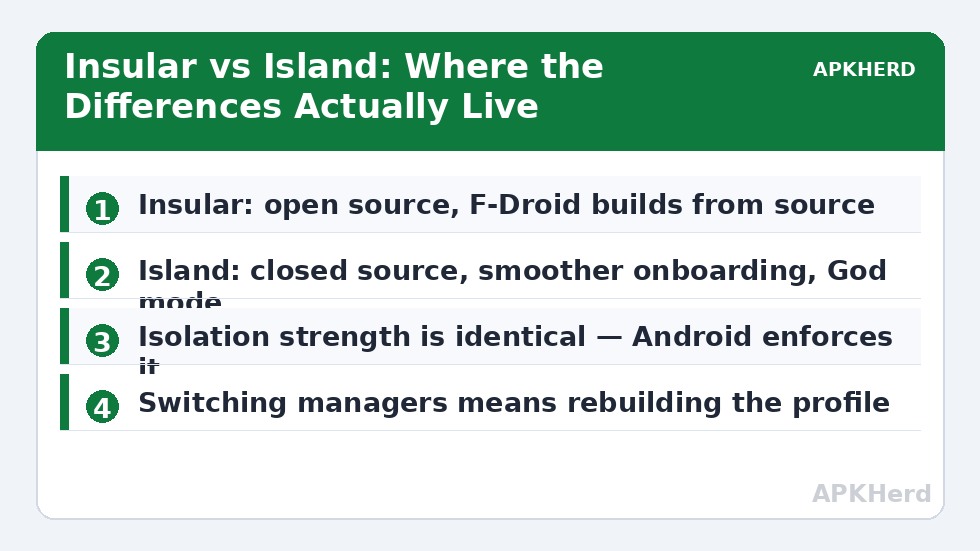
Insular is fully open source (Apache-licensed lineage via the Island open-source codebase it forked) and distributed through F-Droid and GitHub releases, so the exact code on your phone can be inspected and, in F-Droid’s case, is built from source by the F-Droid infrastructure. Island is closed source, distributed via the Play Store, developed by a well-known Android developer with a long public track record (Oasis Feng is also behind Greenify). Neither model is automatically disqualifying: open code you cannot personally audit still relies on community scrutiny, and a reputable closed-source developer still asks for faith. But for a tool that becomes profile owner — a genuinely privileged position — the ability to verify what the code does is a real, structural advantage, and it is the main reason privacy-focused communities default to Insular or Shelter.
Feature Comparison
| Feature | Insular | Island |
|---|---|---|
| Work profile creation & cloning | Yes | Yes |
| Freeze / unfreeze apps | Yes | Yes |
| Open source | Yes (F-Droid builds from source) | No |
| Ads / in-app purchases | None | None in core; some advanced unlocks historically |
| “God mode” (device owner) extras | Limited | Yes, for advanced users |
| App shortcuts & launch helpers | Basic | More polished |
| File shuttle between profiles | Basic support | Yes |
| Update cadence | Slower, community-maintained | More frequent, single commercial developer |
| Onboarding polish | Functional, sparser | Smoother guided setup |
Day-to-Day Use: Where the Differences Show
Once the profile exists, both apps step back and Android does the work — cloned apps run identically, because they are the same kind of installation regardless of which manager created them. You feel the differences only in the manager itself. Island’s interface is the more finished product: clearer mainland/island organisation, friendlier explanations during provisioning, nicer shortcut handling, and small conveniences like per-app management actions surfaced more discoverably. Insular is plainer, occasionally rougher in wording, and its development pace means a new Android version’s quirks may take longer to be smoothed over. Neither app can rescue a profile your ROM refuses to provision in the first place; if setup fails on a heavily customised ROM, it will fail for both, and the deciding factor becomes your device, not your manager.
One practical distinction matters for cautious users: because Insular’s behaviour is inspectable, its permission footprint and network silence are verifiable claims — it requests no internet access for core operation, and you (or reviewers) can confirm that in the source. Island’s equivalent assurances rest on the developer’s statements and reputation. Both tools, it should be said, are dramatically less invasive than any virtual-space cloner, for the reasons laid out in the privacy risks of third-party app cloners.
Which One Breaks Less?
Honestly reported: both are hostage to the same variables — your OEM’s profile implementation and Android version changes. Island’s faster update cadence historically makes it the safer bet in the first weeks after a major Android release; Insular catches up, and its simpler feature surface means fewer moving parts thereafter. If you also use advanced Island options like God mode (device owner rather than profile owner), understand that it is a materially deeper level of control with materially deeper consequences if you later remove it carelessly; Insular largely steers you away from that territory. Migration between the two managers is not a settings export — switching means destroying the profile and rebuilding it, with all the backup discipline that implies; our walkthrough of backing up and restoring work profile apps is required reading before attempting it.
The Shelter Question
Any Insular-vs-Island decision should at least glance at Shelter, the independent open-source manager with the strongest auto-freeze workflow of the three. The full three-way analysis, including the virtual alternative, is in Parallel Space vs Island vs Shelter, and Shelter’s own deep-dive is the Shelter complete guide. Setup mechanics for Island-style provisioning are in the Island work profile setup guide, which applies almost step-for-step to Insular.
Verdict
Choose Insular if verifiability is your priority and you are comfortable with a plainer interface and slower updates — it is the connoisseur’s default for a reason. Choose Island if you want the smoothest setup, the richest management features, and faster adaptation to new Android versions, and you are willing to trust an established developer’s closed code. Choose neither blindly: the category index at App Cloners collects the surrounding guidance on backups, hiding, and account rules that matter more to your data’s safety than the brand of profile manager you pick.
What Neither App Can Give You
Whichever manager you choose, the work profile model itself sets the ceiling, and managing expectations matters more than the brand decision. Neither Insular nor Island can create a second work profile alongside the first — one profile per user is Android’s rule, not theirs. Neither can make an app that refuses profiles (some banking and enterprise apps) accept one. Neither hides the profile’s existence from the platform or from an inspector of the device; the profile defends app data from other apps, not metadata from the phone’s owner. And neither replaces backup discipline, because profile removal is total regardless of which manager built it. If your requirements exceed that ceiling — multiple extra copies of one app, say — you have outgrown the profile model and should be evaluating the heavier options with open eyes about their trust costs, not shopping for a third profile manager.
A Note on Cost
Money settles nothing here but completes the picture: Insular is free, full stop. Island’s core is also free; historically, some advanced functionality sat behind optional purchases or a donation tier, which most users building a single second-account setup will never need. If a feature you want turns out to be one of Island’s paid extras, that — rather than ideology — may be the practical tiebreaker, and it is a fair one.
Frequently Asked Questions
Is Insular just a copy of Island?
Insular is a legitimate open-source fork: it was created from the codebase lineage of Island’s earlier open-source release and has been developed independently since. It is not a repackaged Island APK, and it is maintained by a different developer (Xingchen / Feng Yu) than Island’s Oasis Feng.
Which is more private, Insular or Island?
Insular has the structural edge: its source code is public and F-Droid builds it from source, so its lack of network access and tracking can be verified rather than merely promised. Island is closed source but comes from a reputable developer and operates through standard system APIs with a minimal data model. Both are far less invasive than virtual-space cloners.
Can I switch from Island to Insular without losing my cloned apps?
Not in place. The work profile belongs to its profile-owner app, so changing managers means removing the existing profile — which permanently deletes the cloned apps and their data inside it — and then creating a fresh profile with the new manager. Back up everything important from inside the profile first.
Do Insular and Island offer the same isolation strength?
Yes. Both create a standard Android work profile, and the isolation is enforced by the operating system, not by the manager app. Cloned apps inside either profile get the same separate data space and the same boundaries against your personal apps.
Which one should a beginner choose?
Island, marginally — its guided setup and clearer interface make first-time provisioning less confusing, and updates arrive faster after Android changes. A beginner who specifically values open-source software should choose Shelter or Insular instead and follow a setup walkthrough; the underlying profile works the same either way.