

Your phone says 118 GB used, but your photos, apps, and downloads add up to maybe 80. The missing third is not a mystery and it is not a virus: it is offline maps you forgot, a messaging app’s media vault, an editor’s render cache, a game that downloaded 9 GB of “additional files” in 2022. Learning how to find large hidden files android storage tools can visualise is mostly about replacing a flat list with a map — the same trick WinDirStat made famous on Windows, where the biggest rectangles on the treemap are guilty at a glance.
First, the free built-in reconnaissance
Before installing anything, open Settings > Storage. Android breaks usage into categories — Apps, Images, Videos, Audio, Games, Documents, System — and tapping Apps sorts them by total size including their data. Three truths emerge immediately on most phones: one or two apps are absurdly larger than their install size suggested; “System” is bigger than you hoped and is not yours to delete; and the media categories rarely explain the whole gap, which sends you hunting below the category level. Files by Google’s Browse tab offers a second built-in view (its category totals and large-file suggestions are covered in our Files by Google deep clean guide).
Safety note before the treasure hunt begins: back up your photos, chats, and any locally stored documents before deleting anything you find. The whole point of this exercise is locating files you don’t recognise, and “don’t recognise” cuts both ways — some of them are junk, some are your only copy of something. Delete nothing in the first pass. First pass is reconnaissance only.
Using DiskUsage to find large hidden files android storage hides
The app most often described as the Android WinDirStat is DiskUsage (by Ivan Volosyuk): tiny, free, no ads, and it renders storage as nested rectangles whose area is proportional to size. Reading it is a skill worth two minutes:
- Scan Storage card (your internal storage). Big blocks announce themselves instantly — a single rectangle swallowing a quarter of the screen is your answer, whatever its name.
- Tap a block to zoom in. A fat “WhatsApp” block resolves into Media, then into Videos, then into the three group chats responsible.
- Long-press a file for its path. The path is the verdict: anything under an app’s own
Android/mediaor cache directory belongs to that app’s story; anything underDCIMorDownloadis yours.
Our dedicated DiskUsage visual guide walks through reading these maps block by block; this article is about what to do with what you find.
The usual suspects, ranked by guilt
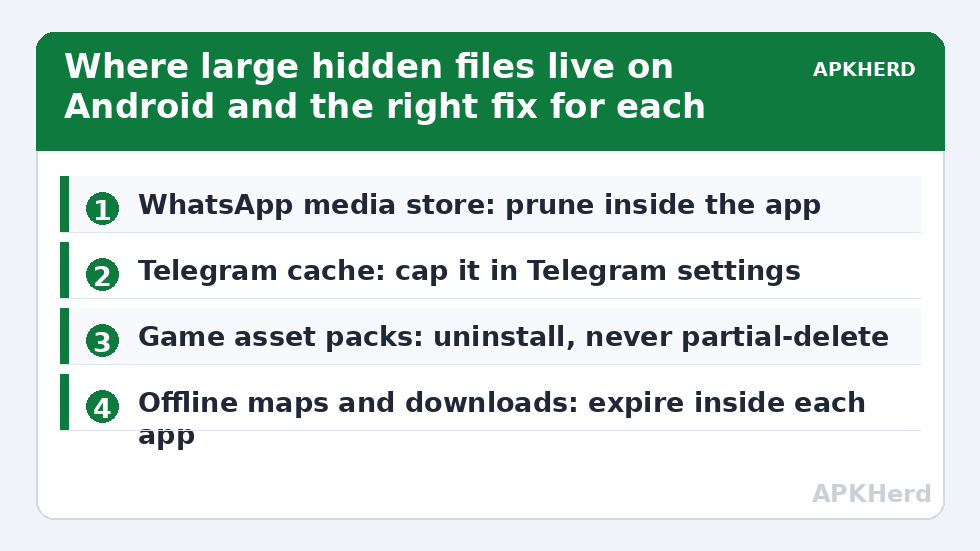
| Location | What hides there | Right fix |
|---|---|---|
| Android/media/com.whatsapp | Every received photo/video, voice notes, backups of chats | Prune inside WhatsApp; see WhatsApp storage manager guide |
| Telegram folder / Android/data | Auto-downloaded media cache, can exceed 10 GB | Set a cache cap inside Telegram |
| DCIM/.thumbnails | Gallery thumbnail database | Safe to delete; rebuilds smaller |
| Games (Android/obb + data) | Multi-GB asset packs | Uninstall games you no longer play — partial deletes corrupt installs |
| Offline maps & streaming downloads | Google Maps areas, Netflix/Spotify downloads | Delete from inside each app so its index stays consistent |
| msgstore / chat backups | Local WhatsApp backups, one per day, stacking silently | Keep the newest; adjust backup settings |
Scoped storage: why some folders hide from you
Since Android 11, scoped storage means file managers see less than they used to. Android/data and Android/obb are restricted: many file managers show them as empty or inaccessible even though they hold gigabytes. This is not your phone lying to you; it is the permission model working as designed. DiskUsage can often still measure these areas at a summary level, and Android’s own Settings > Storage app sizes include data you cannot browse to. Practical consequence: if an app’s total size in Settings is huge but its visible folder looks small, the bulk is in protected data — manage it from inside the app or by uninstalling, not by hunting for a folder you cannot open.
Delete with a rule, not a vibe
Work the map with three rules. Rule one: delete inside the owning app whenever an in-app manager exists (WhatsApp, Telegram, Spotify, Maps) so the app’s database stays truthful. Rule two: in shared folders (Download, DCIM, Movies), delete only files you can identify — name, date, or opening it. Rule three: never bulk-delete inside Android/data for an app you still use; that folder holds settings and saves, not just cache, which is exactly the distinction our storage cleaners hub keeps repeating. A monthly ten-minute pass with the treemap open keeps the hidden third from ever rebuilding, as the monthly maintenance routine lays out.
Decoding the “Other” and “System” categories
Two Settings labels generate endless confusion, so let’s settle them. System is Android itself, preinstalled apps, and their core data. It grows slowly (updates, system app data) and is effectively non-negotiable — no legitimate tool shrinks it meaningfully, and any app claiming to “clean system junk” for gigabytes is miscounting your data as system. Other (Samsung’s label; other brands fold it into different categories) is a residual bucket: file types the categoriser doesn’t recognise, app data it can’t attribute, archives, databases, and miscellany. A ballooning Other almost always resolves, under a treemap, into mundane named things — a podcast app’s downloads, a game’s assets, an archive folder of zips. “Other” is not a place; it is a shrug, and the treemap is how you make the phone stop shrugging.
Three more hiding places veterans check
- Screen recordings and the Movies folder: one forgotten 40-minute screen recording at high resolution can be 3–5 GB. Recordings made for a single bug report or tutorial outlive their purpose by years.
- Google Maps offline areas: Maps > profile > Offline maps. A downloaded metro area is a few hundred megabytes; the road-trip states you saved in 2023 are quietly permanent. They expire only if you set them to.
- Editor working folders: video editors (CapCut and friends) keep project files, imported media copies, and rendered exports in their own folders — the project folder can dwarf the final exported video ten-to-one. Export what matters, then clear the project cache inside the editor.
Notice the pattern across all three: each is a deliberate feature (offline access, project safety, recording) whose storage cost is invisible until you go looking. That invisibility — not malice and not cache — is the real subject of every hidden-files hunt.
Set a size threshold and hunt by it
A practical discipline for repeat hunts: ignore anything under 100 MB until the big game is bagged. On a 128 GB phone, a hundred small files cost less than one careless video, and attention is the scarcest resource in any cleanup. Work the map top-down until every block above your threshold has a name and a verdict — keep, move, prune in-app, or delete — then stop. Storage work has diminishing returns with a long, anxious tail; the threshold is what keeps a diagnostic session at twenty useful minutes instead of an evening of deleting 4 MB curiosities.
Frequently Asked Questions
What is the Android equivalent of WinDirStat?
DiskUsage is the closest match: it renders storage as a proportional block map so the largest folders are visible instantly. It is free, tiny, and ad-free. Android’s Settings > Storage and Files by Google provide simpler built-in alternatives.
Why does my storage not add up?
Because categories in file managers exclude protected app data. Scoped storage hides Android/data and Android/obb contents from most tools, while games, messaging media vaults, and offline downloads quietly account for the missing gigabytes.
Is it safe to delete files I find in Android/data?
Only for apps you have uninstalled — those are leftovers. For installed apps, Android/data holds settings, saves, and databases alongside cache. Deleting it can reset the app or destroy local data; manage size from inside the app instead.
What is the single biggest hidden file on most phones?
Most often a video: a screen recording, a forwarded clip stored by a messaging app, or a downloaded film. After videos, local chat backups and game asset packs are the usual heavyweights.
How do I stop hidden files from piling up again?
Cap the sources: set Telegram and WhatsApp media limits, expire offline downloads, and do a monthly visual scan. Prevention settings inside the guilty apps matter more than any cleanup app.