

Telegram’s dirty secret is a setting, not a bug: by default, the app keeps a local copy of every photo, video, GIF, and file you so much as scroll past, and by default it keeps them forever, with no size limit. That is how a messaging app becomes a 12 GB tenant. This telegram cache cleanup limit storage guide does two things: clears the backlog you already have, and — more importantly — installs the caps that stop Telegram from quietly refilling your storage while you sleep.
First, the fear to retire: Telegram is cloud-native. Your chats, media, and files live on Telegram’s servers, and the copies on your phone are a cache for speed. Clearing that cache does not delete your messages or lose your files; you can re-download anything by opening the chat again. The one exception: anything you saved only inside “Saved Messages” is also cloud-backed, so it survives too. The exception to the exception — if you use Telegram’s local passcode-locked or third-party clients with local-only data, stop and back up first. For the official app, proceed calmly.
The two-minute rescue: clear the cache you have
- Telegram > Settings > Data and Storage > Storage Usage.
- Wait for the tally — on a heavy account it can take a moment — and read the total. This number shocks most people honestly.
- Tap Clear Entire Cache. You can also clear per-chat by tapping individual chats in the list below, useful if one mega-channel is the whole problem.
- Confirm. Telegram will re-download media on demand as you revisit chats, which is the system working as intended.
Realistic expectations: heavy Telegram users routinely clear 3–12 GB here; light users may find only a few hundred megabytes, which is itself diagnostic — it means another app wears the crown, and the hunt in our large hidden files guide will find it. Either way the freed space lasts exactly as long as it takes Telegram to re-cache your scrolling — unless you set the limits in the next section. That treadmill behaviour is common to caches generally, as our cache explainer describes.
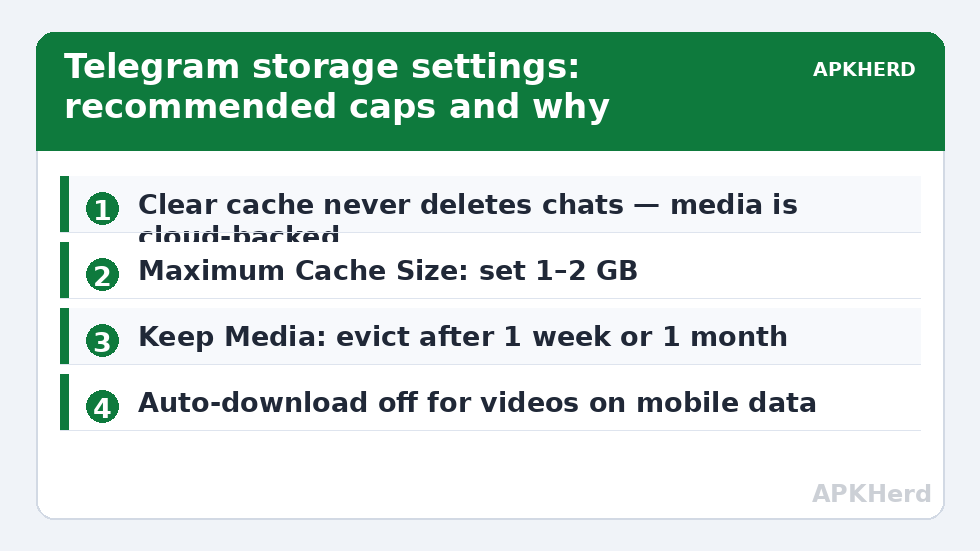
The telegram cache cleanup limit storage fix: set a maximum cache size
On the same Storage Usage screen, find Maximum Cache Size and set it. Options typically run from a few hundred megabytes upward; for most people 1–2 GB is the sweet spot — enough that recent chats feel instant, small enough that Telegram evicts old media itself. When the cache exceeds your cap, Telegram automatically removes the oldest, least-accessed items. You will never do a manual rescue again.
Pair it with the two neighbouring controls:
| Setting | Recommended | Why |
|---|---|---|
| Keep Media (auto-remove cached media) | 1 week or 1 month | Time-based eviction on top of the size cap |
| Maximum Cache Size | 1–2 GB | Hard ceiling regardless of time |
| Auto-download (Data and Storage) | Off for videos/files on mobile data; cautious on Wi-Fi | Stops group media downloading before you’ve even looked |
| Save to Gallery | Off | Prevents a second copy of everything in DCIM |
Channels and groups: where the gigabytes breed
Cache grows in proportion to media throughput, and throughput lives in big public channels and media-heavy groups. Scroll your Storage Usage per-chat list: typically two or three chats account for 80% of the total. Options, in escalating order: mute and stop opening them (cache only grows for media rendered or auto-downloaded), restrict their auto-download specifically, or leave the worst offenders. Also audit any channels you joined for a single download months ago — their entire output since then has been quietly caching. The per-chat clearing pattern mirrors WhatsApp’s, compared in our WhatsApp storage manager guide, though WhatsApp’s copies are the only copies, which changes the stakes entirely.
Downloads folder: Telegram’s second shadow
Files you explicitly download (documents, APKs, archives) land in the Telegram folder under shared storage and are not part of the cache the cap controls. Sweep Internal storage/Telegram quarterly: delete stale documents and — applying the rules from deleting downloaded APKs safely — the installers you will never use again. Fold both checks into the monthly routine in our storage cleaners series and Telegram shrinks from landlord to lodger permanently.
Bots, stickers, and the in-app browser: minor caches, real megabytes
Below the headline media cache sit three smaller reservoirs worth knowing about. Sticker and GIF caches grow with heavy sticker-pack usage — hundreds of animated stickers are small files in large numbers, and clearing the main cache sweeps them too. Bot-downloaded files behave like explicit downloads: anything a file-bot sent you that you tapped to fetch lives either in cache or the Telegram documents folder, depending on how you saved it, so a bot habit deserves a documents-folder sweep. The in-app browser and article Instant View cache stores web content you read inside Telegram; it clears with the main cache and explains why a “text-only” user can still show a few hundred megabytes.
Multiple accounts multiply everything
Telegram’s official app supports multiple logged-in accounts, and each maintains its own cache under the same roof. The Storage Usage screen shows a combined figure with per-account breakdown available in the list — if your total looks inexplicably double your usage, a second account (a work identity, an old number) is the usual explanation. Apply caps per account and remember that logging out an unused account releases its cache share entirely after a clear. The same multiplication applies on Telegram Desktop if you use it: the desktop client has its own cache settings under Advanced, and heavy users should cap both, since the phone discipline doesn’t govern the PC’s downloads folder.
Cache vs database: why Telegram’s Settings size and Android’s size disagree
Android’s App info figure for Telegram includes the local message database — years of chat text, indexes, and metadata — which “Clear cache” inside Telegram does not remove (and shouldn’t; it is your offline chat history). So after a perfect cache clear, Telegram may still show 800 MB–1.5 GB in Android Settings. That residue is legitimate data, shrinkable only by leaving chats or by the nuclear reinstall-and-restore-from-cloud route, which for a cloud-native app is actually feasible but rarely worth the re-login chore for a gigabyte. Know the anatomy and you stop chasing phantom junk — a recurring moral in this category.
One more check: auto-download for stories and media in calls
While you are in Data and Storage, glance at the remaining auto-download toggles: stories from contacts, media shared during calls, and files sent by bots all fall under the same philosophy — everything automatic is a storage decision made without you. Turning off story auto-downloading alone can matter on story-heavy accounts, and none of these toggles removes your ability to fetch any item manually in the moment. The cap handles the past; these toggles govern the future.
Frequently Asked Questions
Does clearing Telegram cache delete my messages?
No. Telegram stores chats in the cloud; the cache is only local copies of media for fast loading. Clearing it removes those local copies, and media re-downloads when you open the chat again. Nothing in your chat history is lost.
What maximum cache size should I set?
1–2 GB suits most people: recent chats stay instant while Telegram auto-evicts older media. Heavy media users on large phones can pick 5 GB; the point is choosing any cap, because the default is unlimited.
Why does Telegram use so much more storage than WhatsApp for some people?
Because of defaults: Telegram caches everything you scroll past in channels and keeps it indefinitely, while its cloud design encourages joining media-heavy channels. WhatsApp stores everything too, but its footprint concentrates in chat media rather than channel firehoses.
What is the difference between Clear Cache and the files in the Telegram folder?
The cache is auto-downloaded media managed by Telegram’s storage settings and caps. The Telegram folder in shared storage holds files you explicitly downloaded — those are yours to manage manually and are not covered by the cache limit.
Will a cache cap slow Telegram down?
Barely. Evicted media re-downloads on demand, usually in a second or two on a normal connection. The cap targets the oldest, least-viewed media — precisely the stuff you were never going to scroll back to anyway.